When I first started using computers seriously, long before I understood how systems actually worked, I remember calling everything a software. Mobile apps, Windows tools, even that tiny calculator program was all software to me. Over time, especially while helping friends, juniors, and even non-tech family members, I realized how confusing these terms really are. That realization was the turning point for me. I didn’t realize it at the time, but this confusion shows up everywhere. People casually mix up apps, software, and programs, assuming they mean the same thing. They don’t.
Understanding the difference between apps, software, and programs isn’t just about definitions. It’s about clarity. It helps you communicate better, choose tools wisely, and sound confident whether you’re a student, a professional, or someone running a blog or business.
Why People Get Confused Between Apps, Software, and Programs
Let’s be honest. Technology didn’t grow in neat boxes. These terms evolved over decades, and marketing blurred the lines even more. When smartphones exploded, the word “app” became trendy. Meanwhile, developers still talked about programs, and companies kept using software as an umbrella term.
So confusion is natural. Almost inevitable, actually.
The problem isn’t intelligence. It’s language. Tech terms are often reused loosely, and over time, meanings overlap. But once you understand the core idea behind each word, everything clicks into place.
What Is a Program? (The Oldest Term of Them All)
A program is the most fundamental concept here. Everything else builds on it, even if that’s not obvious at first.
At its core, a program is a set of instructions written in a programming language that tells a computer what to do. That’s it. Nothing fancy.
If you’ve ever written even a simple “Hello World” in C, Python, or Java, you’ve created a program. It might not have buttons, icons, or a user-friendly interface, but it still qualifies.
In the early days of computing, everything was a program. You typed commands, ran scripts, and the machine responded. No colorful screens. No touch gestures. Just raw logic.
In real-world systems, many programs exist without users ever seeing them. They run silently in the background, powering systems, servers, and devices. Some programs are tiny, doing one specific task. Others are massive and complex.
So when people ask what is the difference between application and program, the answer starts here: every application is a program, but not every program becomes an application.
What Is Software? (The Big Umbrella Term)
Software is where things broaden and where most people start getting confused. It certainly took me a while to separate these ideas clearly.
Software refers to a collection of programs, data, and related resources that work together to perform tasks on a computer or device. It’s not just one file or one script. It’s the whole package.
Your operating system is software. So is your web browser. So is the editing tool you use for videos or documents.
Think of software as an ecosystem rather than a single instruction set. It includes executable programs, libraries, configuration files, and sometimes even documentation.
This is why the phrase difference between app and software exists in the first place. Software is the bigger category. Apps live inside it.
When someone says, “Install this software,” they usually mean a full system or toolset, not just a single executable file.
What Is an App? (The Modern, User-Centric Term)
An app is short for application, but culturally, it has a very specific meaning today.
Apps are designed primarily for end users. They focus on ease of use, visual interaction, and accessibility. When people say “app,” they usually imagine something they can tap, click, or interact with directly.
Mobile apps are the best example. Instagram, WhatsApp, Spotify are all apps. They’re designed for humans, not developers or system processes. That distinction matters more than people think.
Apps can run on phones, tablets, desktops, smart TVs, and even cars. The key difference is intent. Apps are built to solve a specific user problem in a simple way.
This is why modern discussions often revolve around app vs software vs program. Apps are software, software contains programs, and programs are the building blocks.
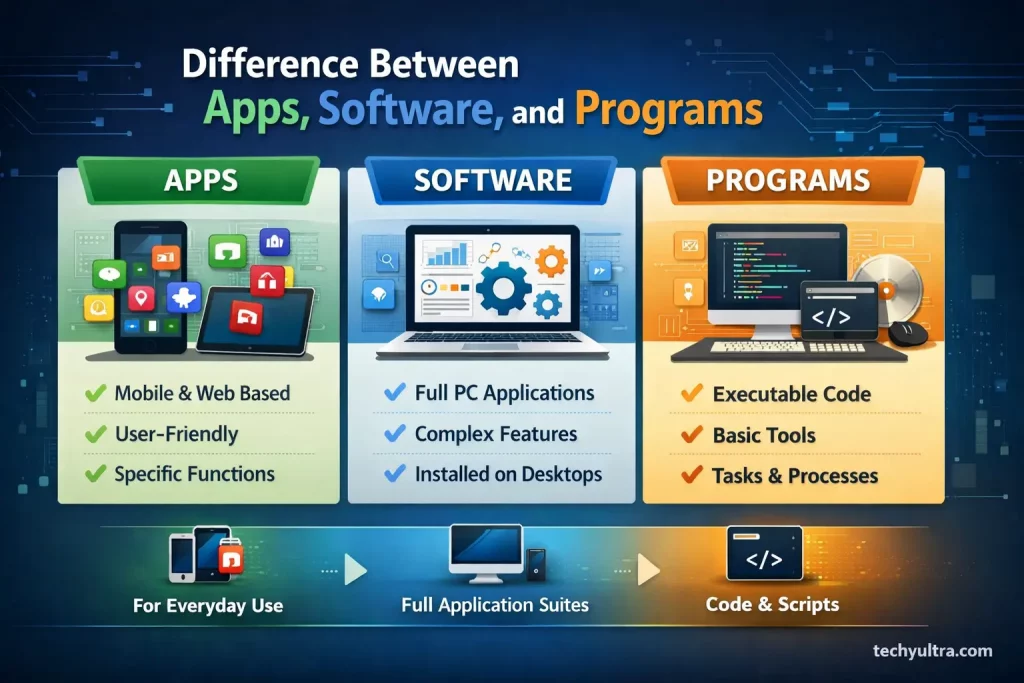
Difference Between Apps Software and Programs (Core Explanation)
Now let’s bring it all together.
The difference between apps software and programs lies in scope, purpose, and user interaction.
A program is the smallest unit. It’s code that performs a task.
Software is a structured collection of programs designed to provide functionality.
An app is a type of software built specifically for user interaction and convenience.
This hierarchy matters more than memorizing definitions. Once I understood that, the terminology stopped feeling random, and the confusion disappeared naturally.
Software vs Application Comparison in Real Life
Imagine a hospital radiology department, something I personally relate to through my academic background.
The entire imaging system is software. Most people never think about it as a single system, they just see the screen in front of them. It includes databases, processing engines, security layers, and interfaces.
Within that system, the image viewer doctors use daily is an application. It’s designed for humans, with buttons, sliders, and visual tools.
Behind the scenes, multiple programs handle image reconstruction, compression, and data transfer. Doctors never see those programs, but they are essential.
This is a perfect software vs application comparison that shows how these terms coexist rather than compete.
Are Desktop Apps and Mobile Apps the Same?
Technically, yes but conceptually, no.
Both are applications, but their environments shape them differently. Mobile apps prioritize touch, simplicity, and battery efficiency. Desktop apps often focus on power, multitasking, and precision.
Still, both fall under the app category because they serve users directly.
This evolution is why the word “app” feels newer and more casual compared to “software,” which sounds corporate or technical.
Why Developers Still Use the Word “Program”
If apps are so popular, why do developers still say “program”?
Because from a technical standpoint, that’s what they’re writing.
A developer doesn’t start by “building an app.” They start by writing programs. Functions, classes, scripts everything. Only later does it evolve into software or an app.
This distinction matters in engineering discussions, system design, and backend development. That’s why technical documentation often prefers precise language instead of marketing-friendly terms.
Is Every Software an App?
No, and this is an important clarity point.
Drivers, firmware, operating systems, and background services are software, but not apps. You don’t interact with them directly, and they don’t exist to provide a user-facing experience.
This answers one of the most common beginner doubts related to the difference between application and program. Applications require user interaction. Programs don’t.
How Businesses Use These Terms (And Sometimes Misuse Them)
Businesses often blur these distinctions intentionally.
Calling something an “app” feels modern and friendly. Calling it “software” feels powerful and professional. Calling it a “program” feels technical and niche.
Marketing teams choose words based on audience psychology, not technical accuracy. That’s why you’ll see the same product described differently across platforms.
Understanding the real meanings helps you see through the noise.
Personally, I think this is where most confusion starts, not in technology itself, but in how it’s marketed.
Why This Difference Actually Matters (In Practical, Everyday Terms)
This difference isn’t just about sounding “technically correct.” It affects how people understand technology, make decisions, and even learn it.
When someone says, “This app is not working,” but they actually mean the operating system service in the background failed, the solution changes completely. When a student thinks learning one programming language means they can instantly build any app, confusion follows. And when businesses call everything an app, users develop unrealistic expectations.
Understanding the distinction between programs, software, and apps helps set the right mental model. At least, it did for me.
Programs explain how things work.
Software explains what system is doing the work.
Apps explain what the user actually interacts with.
Once this clarity exists, conversations become easier. Learning becomes faster. Troubleshooting becomes logical instead of guesswork. Even non-technical people start asking better questions because they’re no longer mixing layers of technology.
This is also why professional developers, IT teams, and educators still care deeply about these words. They’re not labels for decoration. They describe roles inside a larger system.
So yes, the difference matters, not in theory, but in how people understand, use, and trust the technology they rely on every single day.
Frequently Asked Questions (FAQs)
-
Is an app and software the same thing?
Not exactly. An app is a type of software, but software is a much broader term. Software includes operating systems, background services, drivers, and tools that users may never directly interact with. Apps are designed specifically for end users and focus on ease of use and interaction. So every app is software, but not every software is an app.
-
What is the main difference between a program and an application?
The main difference lies in purpose and interaction. A program is simply a set of coded instructions that perform a task, often running in the background or through commands. An application is built on top of one or more programs and is designed for users to interact with visually. This is why people often ask what is the difference between application and program, the answer is mostly about user involvement.
-
Why do people still use the word “program” if apps exist?
Because from a technical perspective, programs are the foundation. Developers write programs first, which later become part of software or apps. Even modern apps rely on hundreds or thousands of programs working together behind the scenes. The word “program” hasn’t disappeared; it’s just used more in technical and development contexts.
-
Can software exist without being an app?
Yes absolutely, and this surprises many beginners. Many types of software never function as apps. Operating systems, firmware, system services, and device drivers are all software, but they are not apps because users don’t directly interact with them. This distinction helps clearly understand the app vs software vs program relationship without mixing their roles.

Hi, I’m Aditya Sharma, a BSc in Radiology student and founder of Techy Ultra, a tech blog covering AI tools, Android tips, blogging, online earning, digital tools, useful apps and software tips & tricks. I have a self-taught background in tech field and like to share information from this blog.