At exactly 10:00 AM, millions of Indians hit refresh simultaneously and IRCTC does not crash. Here’s why.
If you’ve ever tried booking a Tatkal ticket, you know what those first few seconds feel like. The spinning loader. The “server busy” page. The relief when the seat shows up, or the frustration when it’s gone before you can enter your OTP. Tatkal is Indian Railways’ emergency quota that opens 24 hours before departure, and it runs on one of the most pressure-cooked booking windows anywhere in the world.
Most articles about Tatkal tell you when to book or which quota to pick. This one is different. I want to walk you through what’s actually happening on the other side the servers, the queues, the databases, the engineering decisions that let the system take crores of requests without completely falling apart.
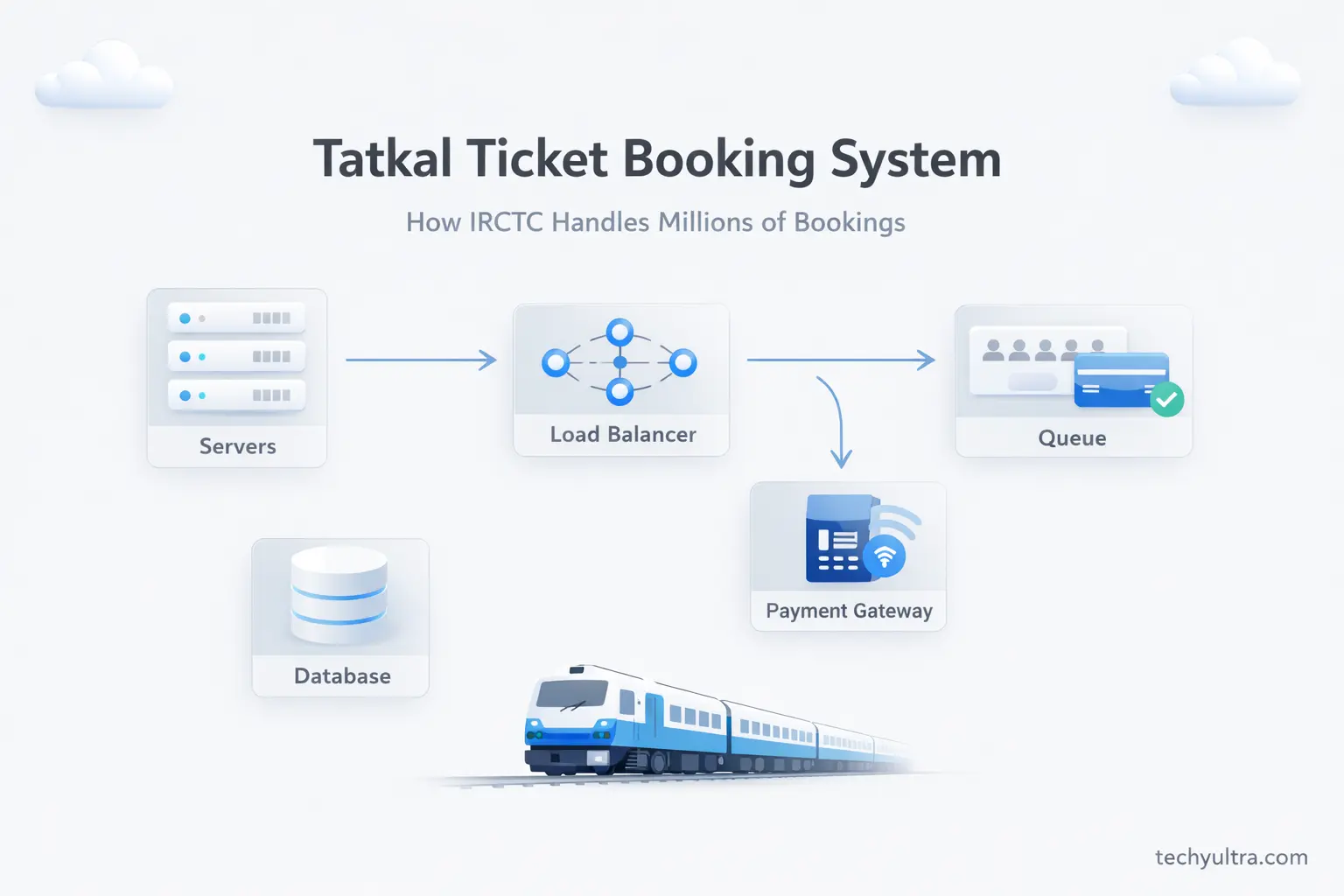
What Makes Tatkal Booking Different from Regular Booking
Regular IRCTC bookings open 120 days in advance. Traffic is spread out across days, sometimes weeks. Someone books a seat to Bengaluru today, someone else books one tomorrow. The load is manageable. The servers hum along.
Tatkal is nothing like that.
The Tatkal system has to deal with a different problem entirely: millions of users trying to do the exact same thing at the exact same second. Think of it like a flash sale on Flipkart, but instead of discounted phones, you have roughly 14 lakh train seats unlocking at once across thousands of trains. Every user wants their seat right now. There’s no “I’ll come back in an hour” if you’re not in within the first few minutes, you’re probably Waitlisted.
The scale is hard to picture. During peak Tatkal hours, IRCTC handles over 1.5 lakh simultaneous sessions. Not 1.5 lakh people browsing but it’s 1.5 lakh people actively trying to complete a transaction at the same time. Most mid-sized e-commerce platforms in India never see those numbers even during their biggest sales.
The engineering challenge isn’t just handling the traffic. It’s handling it fairly making sure the person who clicked first gets the seat, that no seat gets double-booked, and that the system gives a clear answer within a reasonable time. That’s the hard part.
The Infrastructure Behind IRCTC — Servers and Cloud
If you used IRCTC before 2014, you probably remember the crashes. Not slowdowns but actual crashes. The site would just go down during Tatkal hours, and you’d be staring at a blank page while your train departed the next morning without you. It was a running joke.
The core problem back then was straightforward: IRCTC ran on on-premise servers with fixed capacity. When the load spiked, there was nothing to fall back on. The servers were sized for average traffic, not peak traffic and Tatkal is about as peak as it gets.
Things started changing around 2014–2016, when IRCTC began migrating to a cloud-based setup, working with NIC (National Informatics Centre) and eventually moving toward a hybrid private cloud. That shift changed how the whole system was designed to work.
What does “cloud scaling” mean in practice? Old IRCTC had, say, 50 servers in a room. Ten million people show up at once, those 50 servers buckle. Cloud-based IRCTC watches the incoming traffic, sees it spiking, and automatically spins up 200 more virtual servers within minutes. When the rush is over, those extra servers shut down and the costs stop. It’s like a restaurant that can magically add extra chefs and kitchen space exactly when there’s a long queue, then shrink back to normal after lunch.
That’s what IRCTC now runs on at its core elastic, scalable compute that responds to demand in near real time. Not perfect, but a world away from the static server room days.
How Load Balancing Works During Tatkal Rush
Even with a cloud setup, you still have a basic problem: millions of requests all trying to hit the same system at once. This is where load balancing comes in, and it’s probably the most important piece of infrastructure that most users have never thought about.
A load balancer is a traffic cop sitting at the entrance to IRCTC’s servers. When your browser sends a request whether you’re searching for trains or trying to book a seat, it first hits the load balancer. The load balancer checks which servers are free, which are busy, and routes your request to whichever one can handle it best at that moment. You never see this. From your side, you typed the URL and the site responded.
During Tatkal rush, this traffic cop is working hard. Requests aren’t just coming in fast, they’re coming in simultaneously, thousands per second. A well-configured load balancer spreads these across multiple servers so no single one becomes the bottleneck. If Server A is at 80% capacity, the next request goes to Server B or Server C instead.
When load balancing fails or gets overwhelmed, you see the symptoms. Pages load slowly. “Server Busy” errors appear even though your internet is fine. Worth knowing: when IRCTC throws that error at you, it usually means the load balancer is seeing too many requests and is deliberately refusing some of them to protect the servers from total collapse. Better to reject some users than crash for everyone.
The irony is that “Server Busy” often means the system is working correctly. Just not great for the person on the receiving end.
The Seat Locking and Queue System
This is the part most users misunderstand and the part I find most interesting technically.
When you hit “Book Now” on IRCTC, you are not booking a ticket. You are entering a queue.
The queue is a virtual waiting line. The system assigns you a position based on when your request arrived. First In First Out, or FIFO. If a thousand people hit Book at the same millisecond, the system still has to process them one by one. Your position in that queue determines whether you get a seat.
Once you reach the front and a seat is available, the system temporarily locks it to your session typically for around 10 minutes. During those 10 minutes, that seat shows as unavailable to everyone else. Reserved for you, while you complete payment. If you pay successfully, the booking is confirmed. If you don’t pay in time because maybe your OTP didn’t arrive, maybe you fumbled the card details and the lock expires and the seat goes back into the pool for the next person in line.
This is why you sometimes see a seat available, click Book, and then can’t complete it. Someone was ahead of you in the queue, got that seat locked, and either paid or let the lock expire. While their lock was active, you were seeing the seat as unavailable. If they didn’t pay, the seat may reappear, but by then you’re further back in the queue.
The queue logic is what keeps the process somewhat fair. Without it, everyone would be trying to grab the same seat simultaneously, and the database would be overwhelmed handling concurrent writes to the same row.
The Payment Gateway and Why It Matters
Here’s an uncomfortable truth: the booking system can work perfectly and you can still lose your Tatkal seat because of the payment step.
IRCTC integrates with multiple payment gateways for UPI, for debit and credit cards, for net banking, for wallets. Each of these is a separate third-party system that IRCTC talks to in real time. When you confirm payment, IRCTC sends a request to that gateway: “User wants to pay ₹1,240 for this booking, can you process it?” The gateway processes it, sends back a confirmation, and then IRCTC marks the booking confirmed.
This back-and-forth takes time. During Tatkal rush, payment gateways are also seeing high load because thousands of people are paying at the same moment. This is the number one reason people lose Tatkal seats, if your payment takes longer than the seat lock window, or the gateway times out, the seat goes back to the pool.
The fastest payment method is one where authentication is already done. Saved UPI IDs with pre-approved mandates, or cards stored with IRCTC using saved tokens, skip several steps in the authentication chain. When you select a saved card or pre-approved UPI ID, the system doesn’t wait for you to enter anything, it just confirms. The round-trip to the gateway is shorter, and that matters a lot when you’re working within a 10-minute seat lock.
This is the actual reason experienced users always say to use saved payment methods for Tatkal. Not just convenience but fewer steps between “seat locked” and “booking confirmed.”
Database and Real-Time Seat Availability
Behind all of this is a database layer with a genuinely difficult job: maintain an accurate seat count in real time, across millions of concurrent users, without ever letting two people book the same seat.
When IRCTC shows “Available (12)” for a train, that number is read from a database. At the same moment, thousands of other users are reading that same number. And some of them are also trying to write to the same database — completing bookings that reduce the count. Managing simultaneous reads and writes on the same data is one of the classic hard problems in computer science. It’s called concurrency control.
IRCTC handles this through row-level database locking. When your transaction is reducing the seat count, the system locks that specific row. No other transaction can modify that row until yours is done. This prevents double-booking so only one transaction gets through, the other waits, sees the seat is gone, and gets a “booking failed” response.
This also explains something that confuses a lot of users: seeing “Available” on the search page but getting a booking failure when you try to confirm. What happened is that between when the search result was generated (database was read, seats available) and when you tried to book (write to the database), another transaction completed and took the last seat. The availability you saw was accurate at the time. It just wasn’t accurate a few seconds later.
Not a bug. Just the nature of real-time systems under high load.
Why IRCTC Still Slows Down Sometimes
You’d think that with cloud infrastructure and load balancing, the 10 AM Tatkal window would be smooth by now. It’s better, dramatically better but it’s not smooth. A few reasons for that.
First, the demand is genuinely extraordinary. Even if IRCTC can handle 25,000 transactions per minute, the volume of attempts people searching, filtering trains, hitting Book, failing and trying again is many times higher than successful transactions. Every attempt consumes server resources.
Second, bot traffic. IRCTC has publicly acknowledged this. Automated scripts built by touts and scalpers hammer the booking system far faster than any human can. A bot can hit the booking endpoint hundreds of times per second. Scale that to hundreds of bots and you’re consuming a significant chunk of server capacity with traffic from no real users. IRCTC has deployed CAPTCHA and bot detection to filter this out, but distinguishing a very fast human from a slow bot is genuinely hard. The cat-and-mouse game continues.
Third — worth knowing if you’re a mobile user, the IRCTC app is sometimes noticeably faster than the website during peak hours. The app sends lighter, more structured API requests. The website loads far more data per page: images, scripts, stylesheets. Fewer bytes means faster responses when the servers are under stress. Use the app.
How IRCTC Has Improved Over the Years
In 2014, IRCTC could process roughly 2,000 tickets per minute. By around 2021–2022, that number was over 25,000 per minute — more than 12x growth. That didn’t happen by buying more servers. It required rethinking the architecture.
One of the bigger changes was moving toward microservices. In the old system, every part of the application like train search, login, seat inventory and payment was tightly coupled. If the payment module had a bug or slowdown, it could drag down the entire system. Microservices breaks these into independent services that communicate through APIs. Train search keeps running even if payment is slow. Problems get isolated rather than cascading.
IRCTC also opened up APIs for third-party apps. When you book a train ticket through MakeMyTrip or Paytm, you’re not using IRCTC’s interface but you’re hitting their APIs. Authorized third parties plug into the booking system directly. This distributes the load somewhat: not every user has to hit the IRCTC website, which helps the main platform handle Tatkal rush better.
None of this means IRCTC is perfect. There’s still room for improvement in the payment layer, bot detection, and mobile experience. But the IRCTC of 2010 and the IRCTC of today are not the same system. The engineering work happened. It just happened quietly, behind the scenes, while users were busy complaining about the CAPTCHA.
Frequently Asked Questions
How does IRCTC handle so many users at once?
A combination of cloud infrastructure, load balancing, and a virtual queue system. When demand spikes during Tatkal hours, the cloud setup spins up additional server capacity automatically. Load balancers distribute incoming requests so no single server gets overwhelmed. The queue ensures users are served in order rather than all trying to access the same resource simultaneously.
Why do Tatkal seats disappear so fast?
Thousands of users are competing for a limited number of seats the moment the window opens. Users who hit Book even a fraction of a second earlier get priority in the queue. Bots also play a role like automated scripts move faster than humans and sometimes grab seats before regular users can complete the booking flow.
What is the IRCTC queue system?
When you click Book, you enter a First In First Out (FIFO) virtual queue. The system processes requests in the order they arrive. Once you reach the front, a seat is temporarily locked to your session for around 10 minutes while you complete payment. If payment isn’t done in time, the lock expires and the seat returns to the pool.
Why does IRCTC show available seats but booking fails?
There’s a gap between reading the database (when you see availability) and writing to it (when you try to book). In between, another user’s transaction may have completed and taken the last seat. The database locking system ensures no two users book the same seat, but it can’t stop you from seeing availability that was accurate a few seconds ago and isn’t now.
Is the IRCTC app faster than the website for Tatkal?
Generally yes, especially under high load. The app sends leaner API requests compared to the website, which loads much more data per page. During peak Tatkal hours when the servers are stressed, smaller requests get processed faster, which is why many users report better luck on the app.
Personal Note
I’ve been watching IRCTC evolve for years. The honest take: what they’ve built is impressive given the constraints. A system handling one of the largest simultaneous booking loads in the world, running 24/7, designed to be fair to millions of users — all while operating as a government-adjacent entity with the bureaucratic overhead that implies. That’s not a small thing
The crashes of 2012 and the smooth(ish) 10 AM of 2025 are not the same system. Understanding the technology behind it, even roughly makes you a better user. You know why to save your payment method. You know why “Server Busy” isn’t your internet’s fault. You know why that seat disappeared before you could pay.

Hi, I’m Aditya Sharma, a BSc in Radiology student and founder of Techy Ultra, a tech blog covering AI tools, Android tips, blogging, online earning, digital tools, useful apps and software tips & tricks. I have a self-taught background in tech field and like to share information from this blog.